
Upgrading a 3D printer hotend for 300°C+ high-temperature printing (ABS, ASA, PETG, Nylon, PC) often leads makers to expensive $100+ brand-name hotend assemblies. However, after 2 years of continuous, heavy-duty printing, I can confirm that combining selected high-grade AliExpress budget components with a BigTreeTech SKR Mini E3 V3.0 motherboard results in an ultra-reliable, indestructible 300°C+ setup at a fraction of the cost.

Shop Deal #1 on AliExpress →

Shop Deal #2 on AliExpress →
This entire high-temperature hotend recipe and BigTreeTech SKR Mini E3 V3.0 mainboard upgrade is a 100% drop-in installation for BOTH the Creality Ender 3 V2 and the original Creality Ender 3 / Ender 3 Pro. Physical mounting geometry, screw holes, thermistor ports, and wire routing match perfectly across both printer models.
🔥 The 300°C+ Budget Upgrade Recipe (Tested for 2 Years)
Here are the exact components used and field-tested in this high-temperature build, along with direct procurement links and actual product photos:
1. Bimetal Ender 3 Heatbreak (Titanium Alloy + Copper Plating)
Standard PTFE-lined throats melt above 240°C and release toxic fumes. This bimetal heatbreak pairs a thin titanium alloy core (low thermal conductivity) with a copper plating tube (high dissipation) to eliminate heat creep completely on Ender 3 & Ender 3 V2 stock heatsinks.
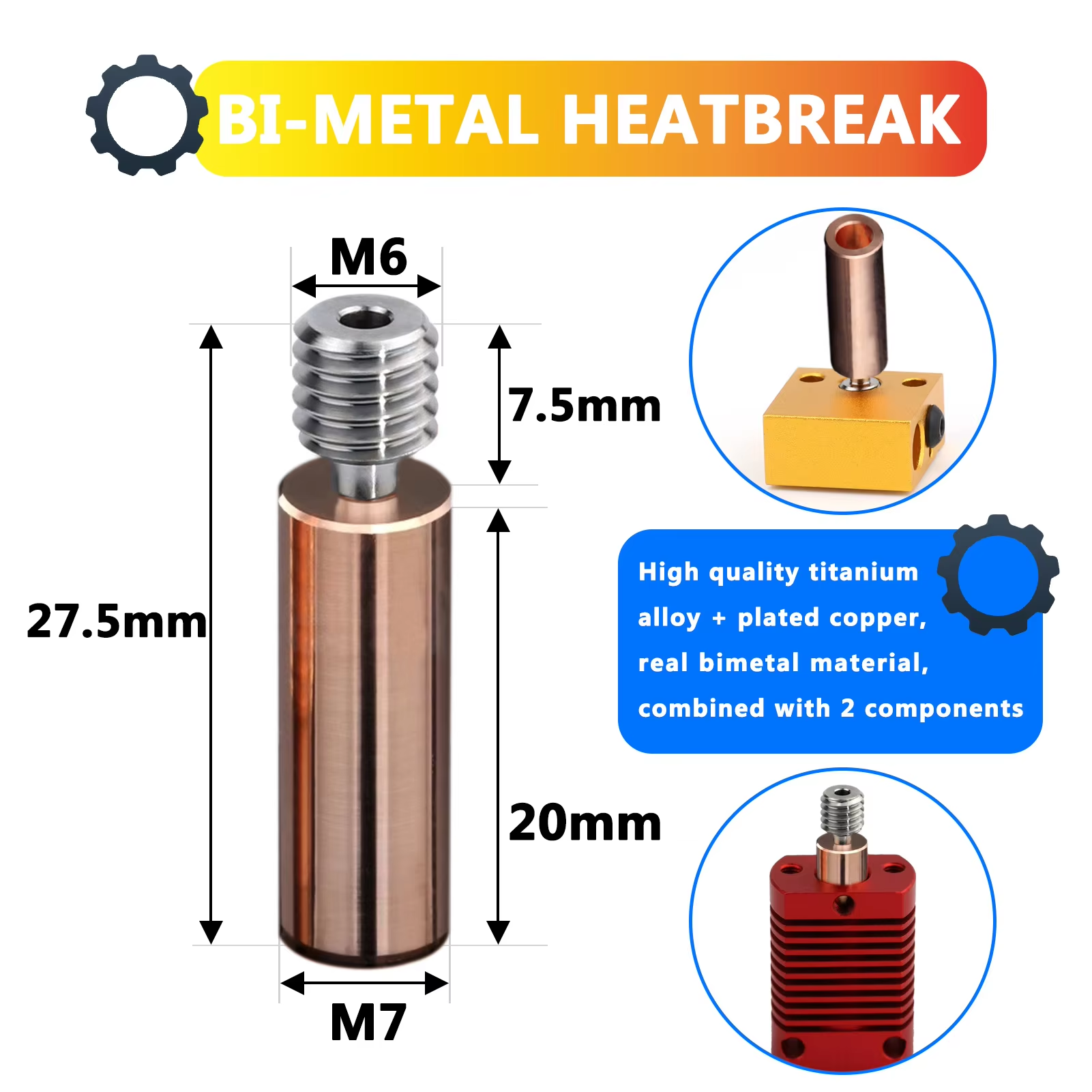
🔗 Product Link: Bimetal Ender 3 Heatbreak Titanium Alloy (AliExpress) | 🛒 Affiliate Deal #1
2. Plated Copper High-Temp Heater Block
Unlike stock aluminum blocks that deform and oxidize above 260°C, plated copper provides superior thermal retention, stable heat distribution, and non-stick nickel plating.
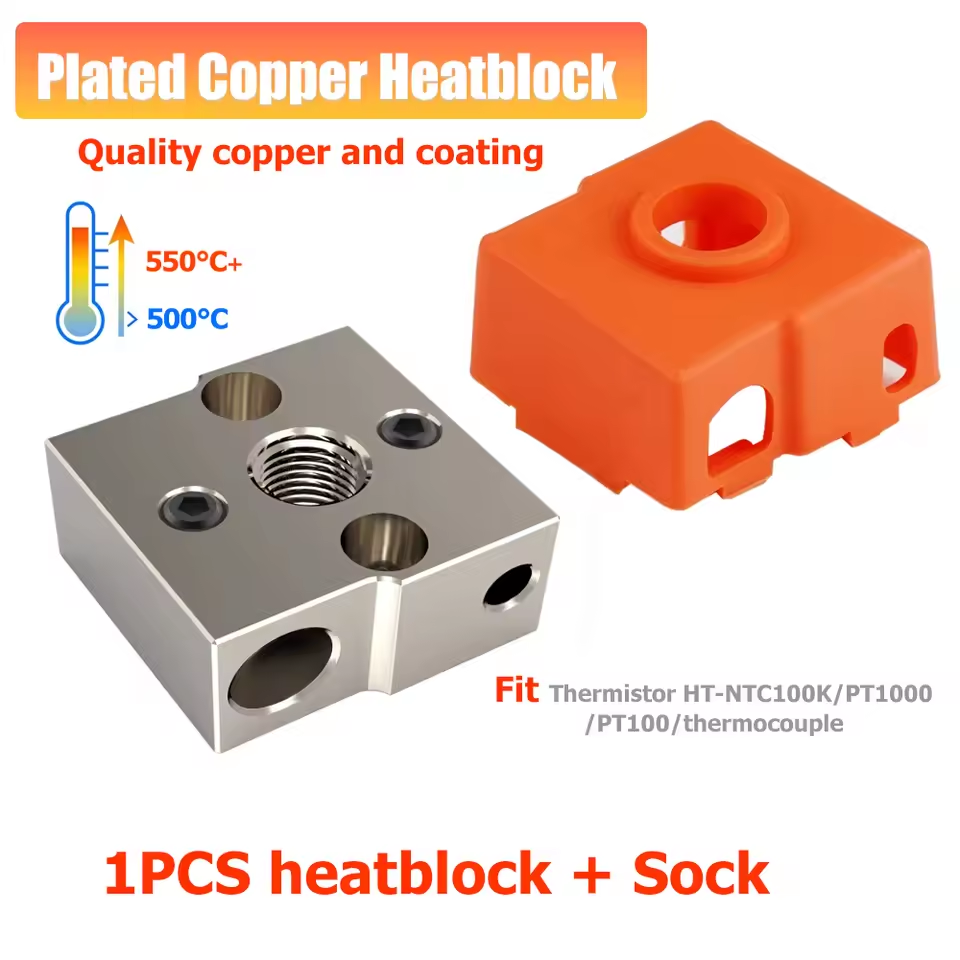
🔗 Product Link: Plated Copper Block (AliExpress) | 🛒 Affiliate Deal #1
3. High-Thermal Brass Heating Block (Tested Ender 3 / CR-10 MK8)
Also tested extensively in this setup: high-conductivity solid brass heater blocks for MK8 nozzles. Brass offers significantly higher thermal capacity and faster thermal response than stock aluminum, making it an excellent high-performance option for Ender 3, CR8, and CR10 printer heads.
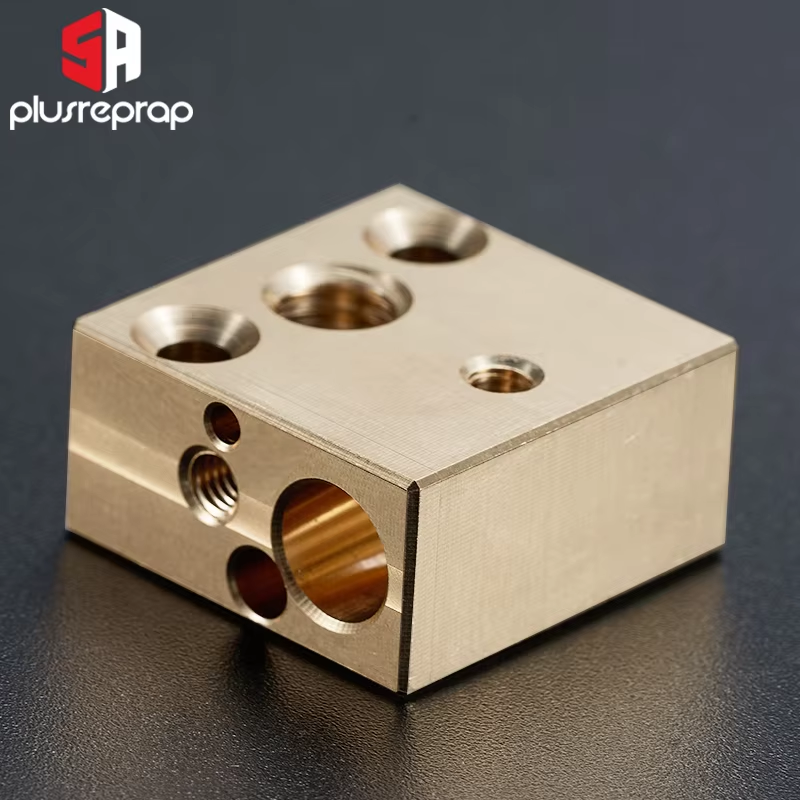
🔗 Product Link: Ender 3 / CR10 Brass Heated Block (AliExpress) | 🛒 Affiliate Deal #2
4. PT1000 RTD Temperature Sensor (3x15mm, Copper / KF 2-Pin)
Standard NTC 100k thermistors degrade quickly above 260°C and lose accuracy. The PT1000 RTD sensor is rated up to 450°C+ and plugs directly into standard thermistor ports without needing a daughterboard amplifier.
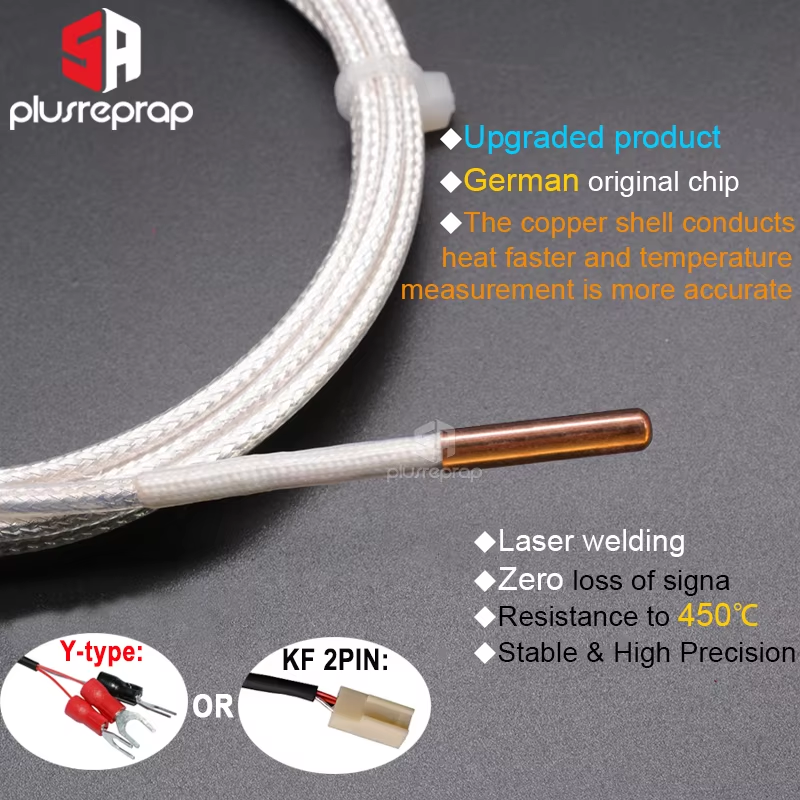
🔗 Product Link: PT1000 Temperature Sensor (AliExpress) | 🛒 Affiliate Deal #1
5. High-Power 24V 70W Heater Cartridge (6x20mm)
Upgrading from a 40W to a 70W cartridge cuts heat-up times to under 45 seconds and maintains rigid thermal equilibrium during high-speed cooling fan bursts.
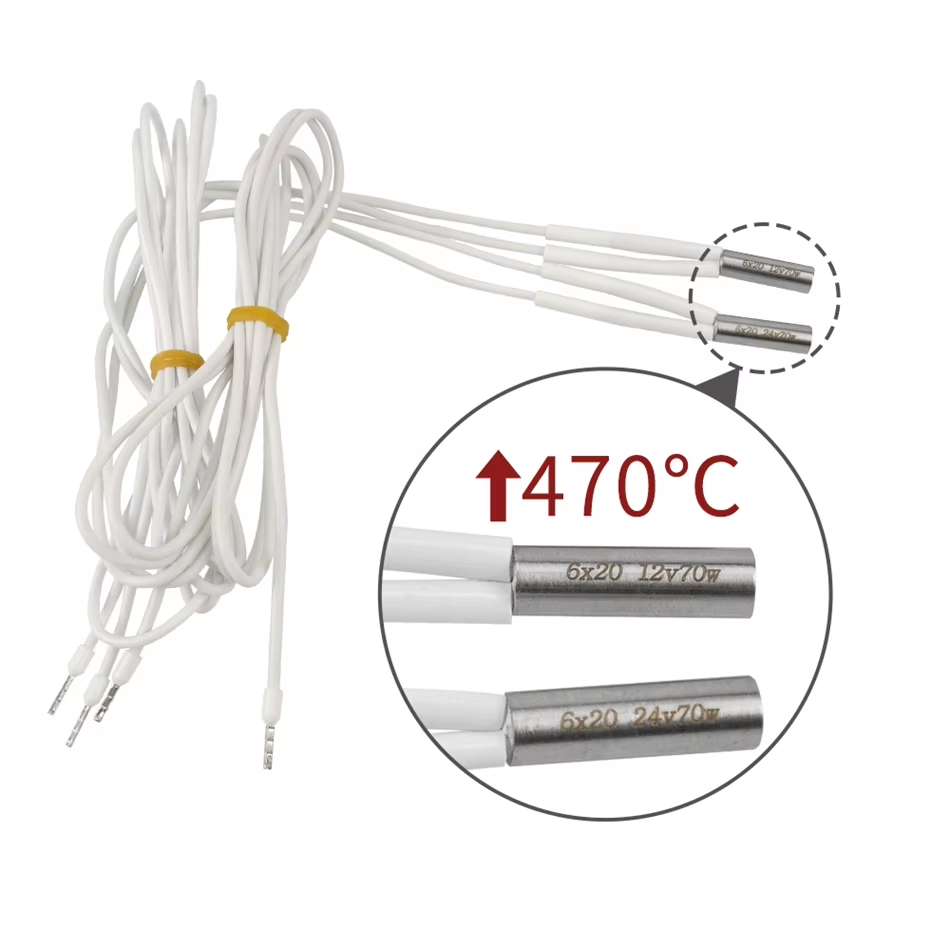
🔗 Product Link: 24V 70W High Temp Heater Cartridge (AliExpress) | 🛒 Affiliate Deal #2
⚡ Motherboard Capability: BigTreeTech SKR Mini E3 V3.0
Can the BigTreeTech SKR Mini E3 V3.0 handle a 70W heater cartridge and a PT1000 sensor on Ender 3 & Ender 3 V2? Easily.
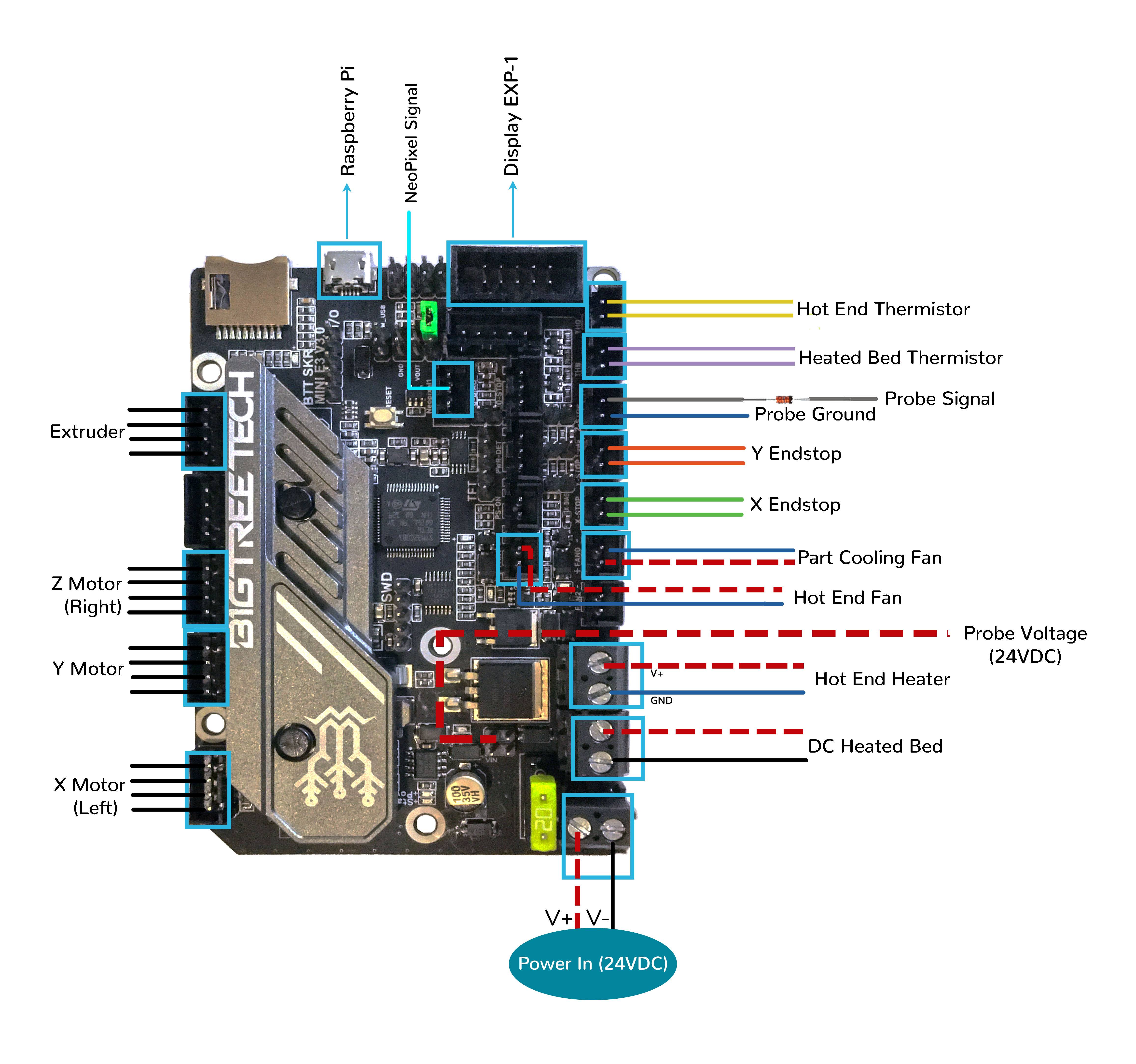
BigTreeTech SKR Mini E3 V3.0 Motherboard Hardware Wiring Diagram (Ender 3 & Ender 3 V2 Drop-In Replacement)
- Drop-in Mainboard Replacement: Fits the exact mounting holes and electronics enclosure of both Ender 3 and Ender 3 V2.
- MOSFET Thermal Capacity: The onboard hotend MOSFETs on the SKR Mini E3 V3.0 feature ultra-low RDS(on) resistance and run completely cool even under 70W constant draw.
- Onboard 4.7kΩ Pullup Resistor: The SKR Mini E3 V3.0 includes an onboard 4.7kΩ pullup resistor on the thermistor input header, making PT1000 integration 100% plug-and-play.
⚙️ Firmware Configuration: Marlin vs. Klipper
1. Marlin Configuration (Configuration.h)
Set sensor type 1047 (PT1000 with 4.7k pullup) and increase maximum safety temperature:
// Configuration.h
#define TEMP_SENSOR_0 1047 // PT1000 with 4.7k pullup resistor
#define HEATER_0_MAXTEMP 315 // Allows max printing temp of 300°C
After flashing Marlin, run PID autotuning via OctoPrint or Terminal:
M303 E0 S250 U1 ; Run PID autotune at 250°C and apply results
M500            ; Save to EEPROM
2. Klipper Configuration (printer.cfg)
In Klipper, add the PT1000 sensor type and 4700 pullup resistor directly under the extruder section:
[extruder]
sensor_type: PT1000
pullup_resistor: 4700
max_temp: 315
🎯 Cura Slicer Retraction & Cooling Settings
Recommended Retraction (Direct Drive – Micro Swiss DD):
- Retraction Distance:
0.8 mmto1.0 mm(Maximum 1.2 mm). - Retraction Speed:
35 mm/sto45 mm/s. - Prime Extra Volume:
0.0 mm³.
🏆 2-Year Reliability Verdict
After 24 months of heavy production printing across Creality Ender 3 V2 and Ender 3 printers using both Plated Copper and High-Thermal Brass heating blocks, this budget setup has shown zero heat creep, zero nozzle leaks, and rock-solid temperature stability (±0.2°C). You do not need to spend $120+ to get a high-performance 300°C+ hotend—smart component selection on AliExpress paired with BTT motherboard tuning gets the job done perfectly!